
At CWC, we proudly feature our coaches on the Community Wellness Concierge website as well as in the Welcome Packet given to each new resident. This helps residents get to know you, feel more connected, and feel confident booking your services. Examples of what we are looking for in a head shot and Bio are below. Please email them to Pam@CommunityWellnessConcierge.com with the other required onboarding documents.
Headshot Example

Coach Bio Example
Mike Kneuer is the founder of Community Wellness Concierge, a South Florida-based company dedicated to transforming residential communities through tailored wellness programs. With a passion for health and fitness, Mike specializes in creating engaging and effective experiences, from fitness classes and personal training to nutrition counseling and therapeutic services. Partnering seamlessly with property managers and HOAs, Mike ensures every program is both enjoyable for residents and beneficial for the community.
Uniform Requirements
As part of our professional presentation, Community Wellness Concierge will provide you with an official black or grey CWC shirt to wear while on duty. You’ll be expected to pair it with black shorts or pants to maintain a clean, unified look. If you have a preferred shirt style or brand, we’re happy to add the CWC logo to it upon approval. Wearing a consistent uniform is essential for brand recognition and helps residents easily identify you as a trusted CWC coach in the gym and throughout the community.
Elevate App
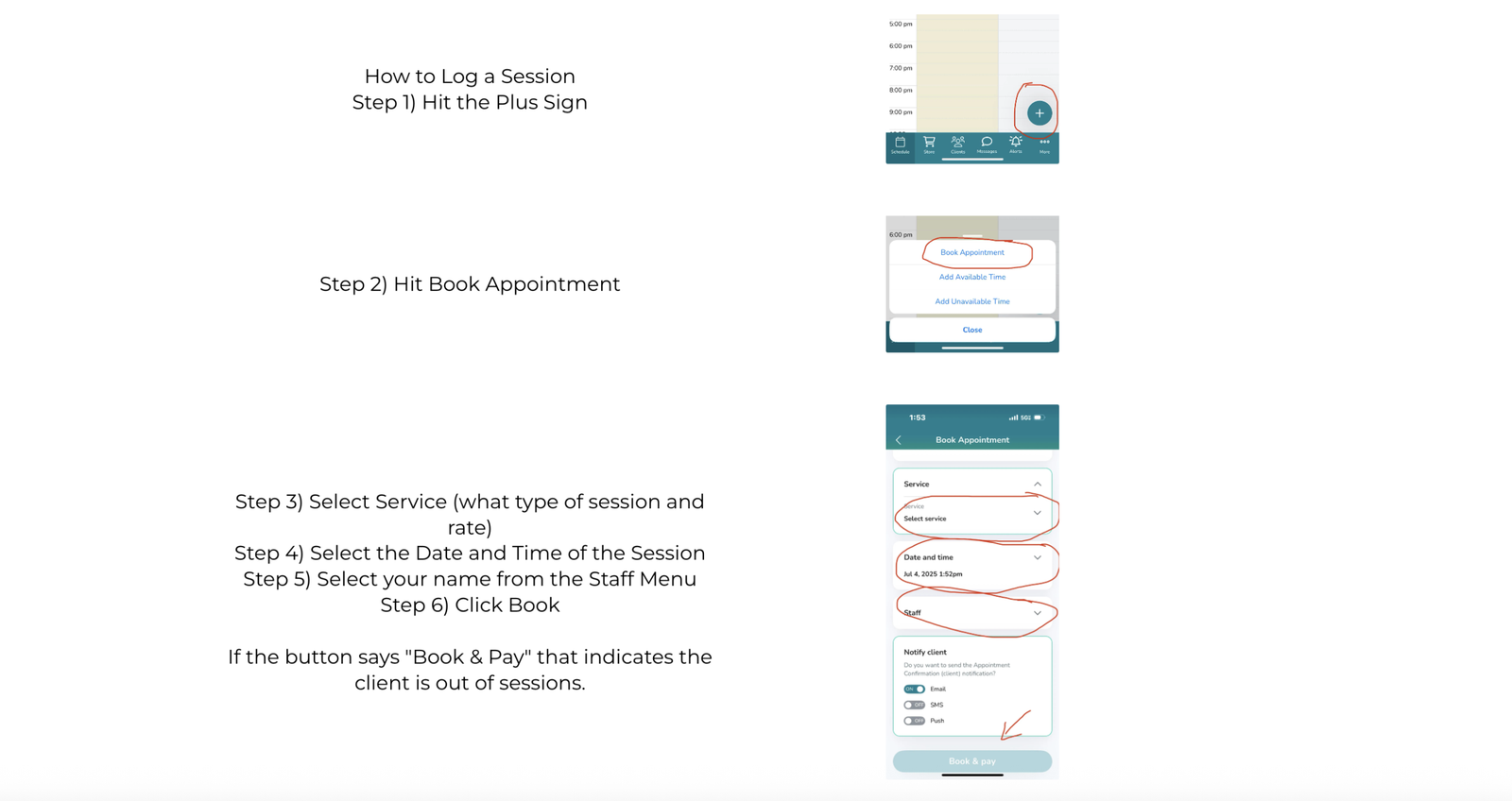
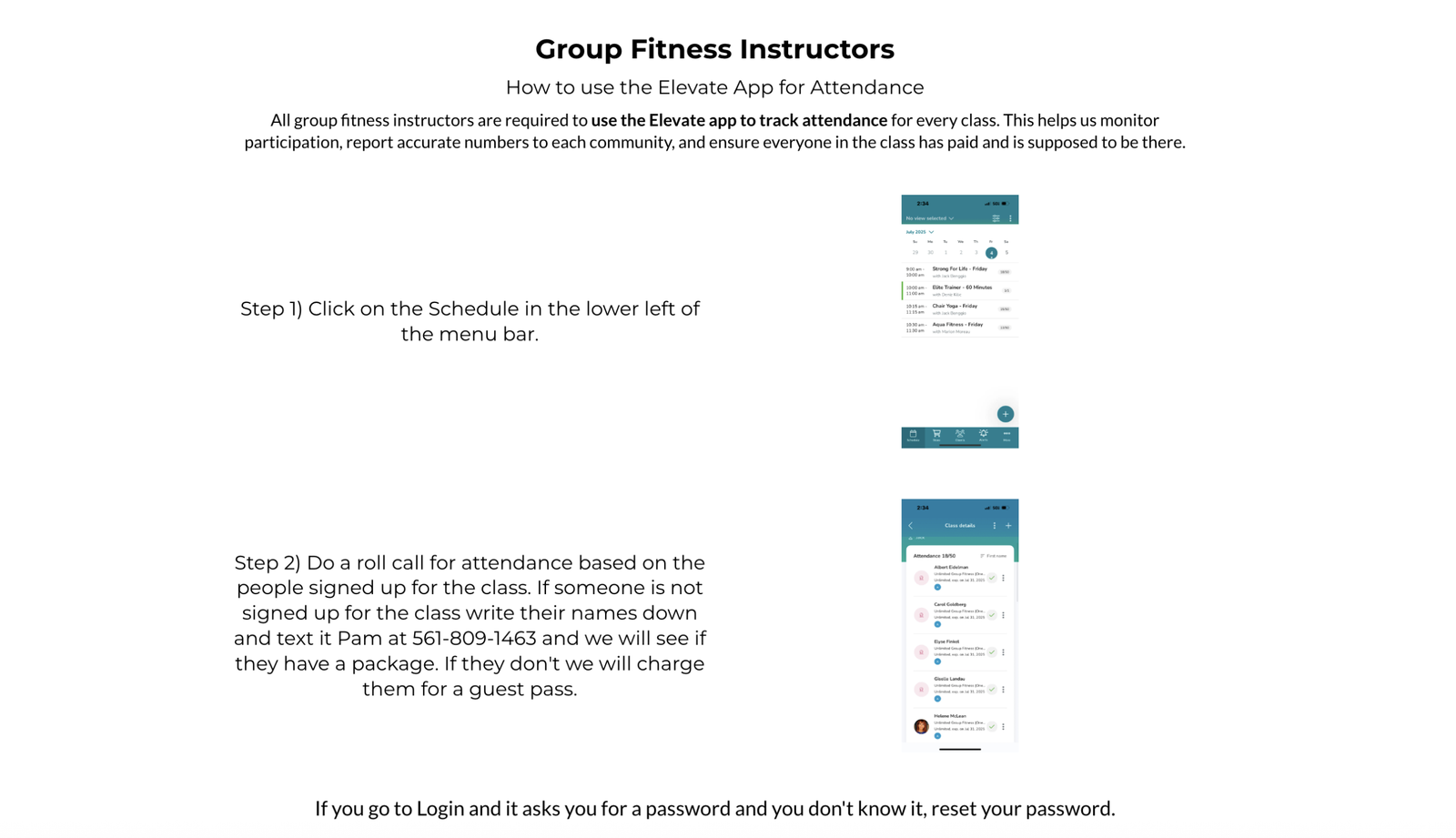
We use a customized app called Elevate, powered by WellnessLiving, to manage all of our scheduling and billing. As a coach, you’ll use the app to book training sessions, view your schedule, and charge clients when purchasing packages via credit card. The app is designed to streamline your workflow and ensure a smooth, professional experience for both you and your clients. Detailed instructions on how to use the app are provided below.
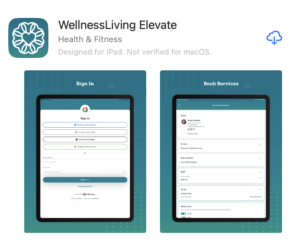
Download the App1) Go to your Apple App Store or Google Play store and download the WellnessLiving Elevate app.2) Create an account.3) Confirm you account in your email.
Request for Time Off
If you need time off for any reason you must fill out the below link 14 days PRIOR to your requested day off. If you do not fill this out 14 days prior and we are unable to fill your class with a substitute instructor there will be a once class deduction on the next payroll.
New Client Documents
When onboarding a new client, it’s essential that we collect a few key documents before beginning any training sessions. Every client must complete a PAR-Q (Physical Activity Readiness Questionnaire), Waiver, and a New Client Intake Form to ensure we have the necessary health information and emergency contacts on file. These forms help us provide safe, personalized programming and protect both the client and the coach. You can download both documents using the links below—please make sure they are fully completed and submitted before starting any sessions.